ViewStretch
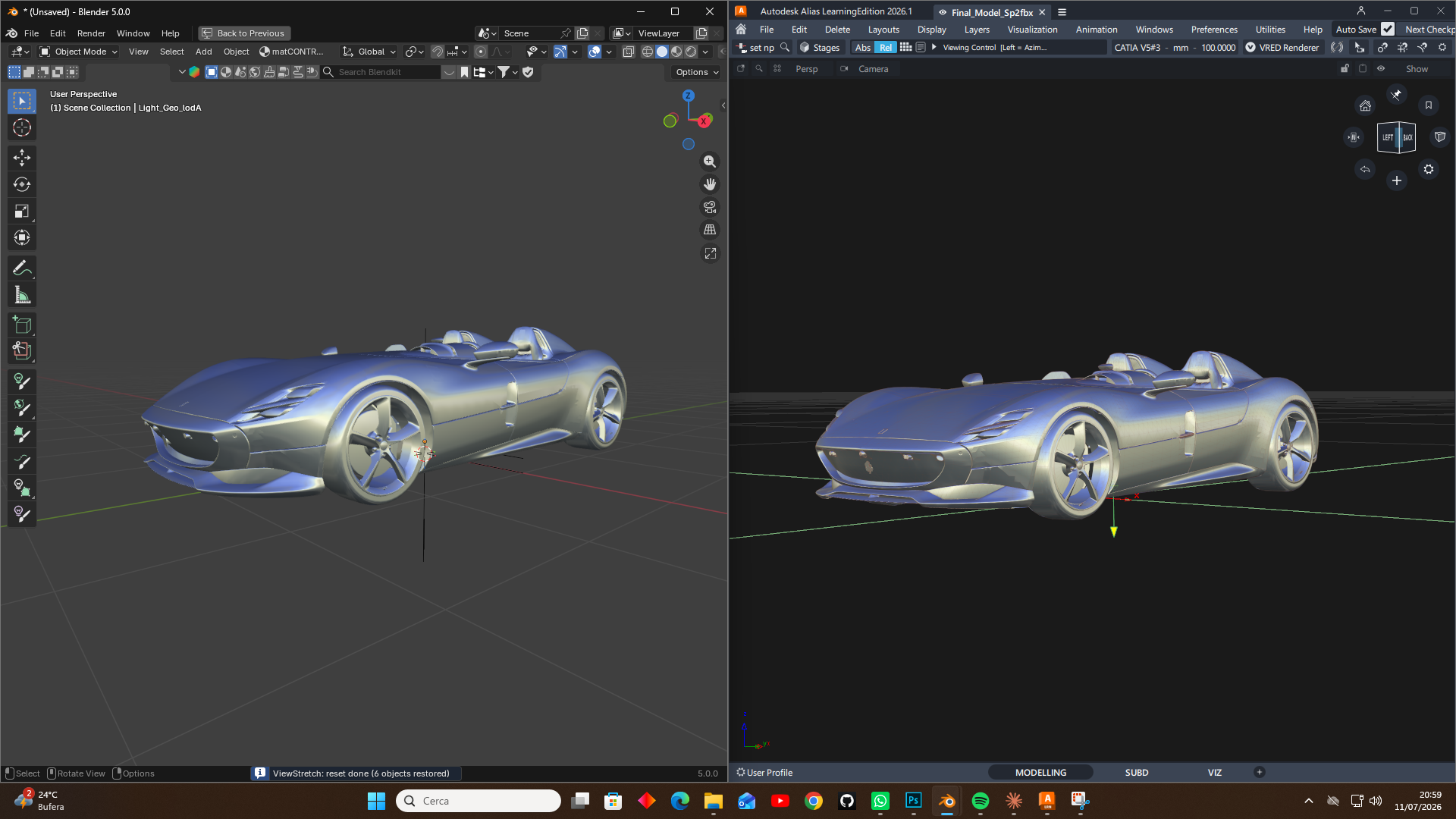
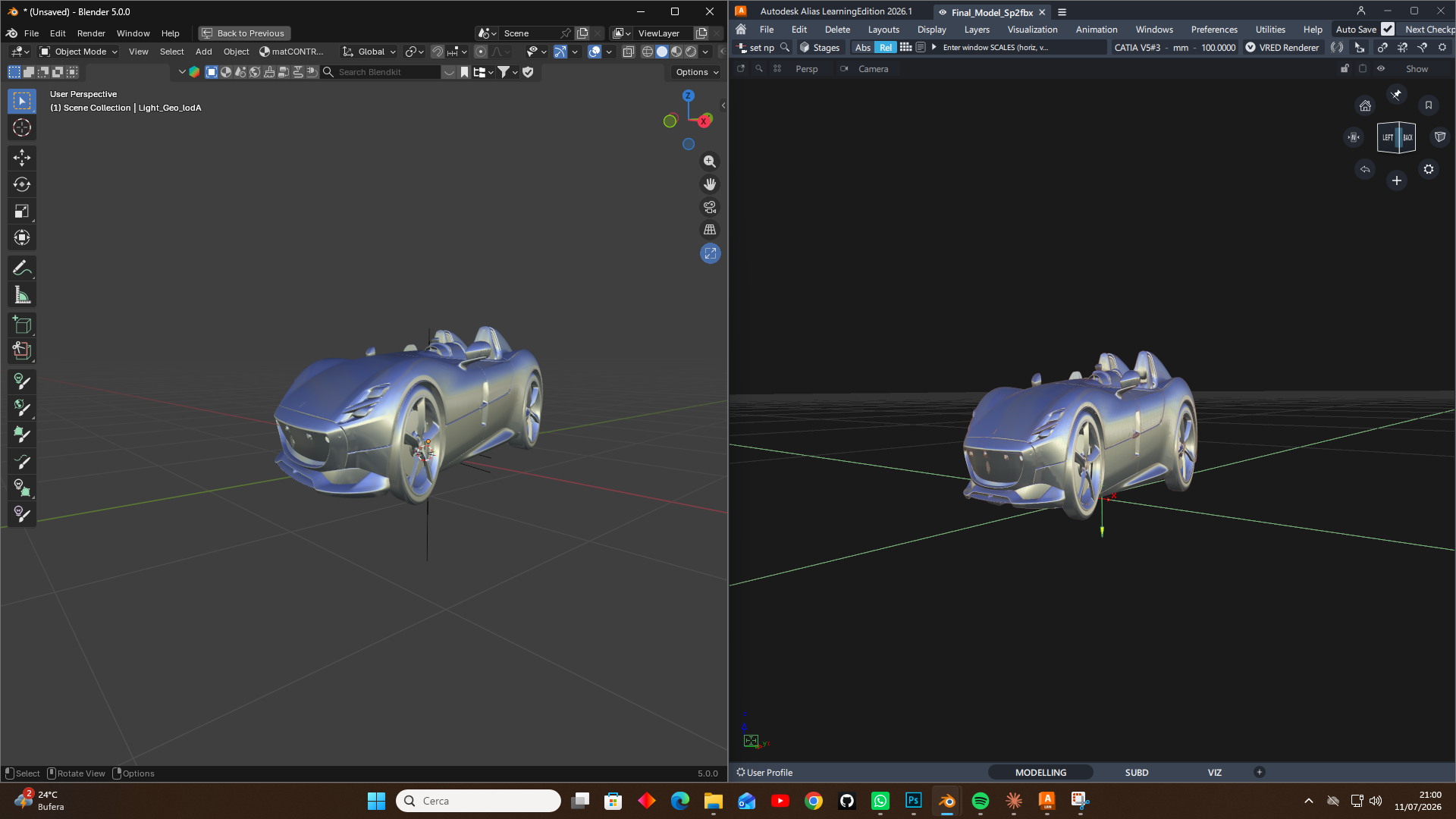
ViewStretch brings the Autodesk Alias Non-Proportional Scale workflow into Blender. With a single mouse gesture you can stretch or squash everything in the 3D Viewport along the current view axes — horizontal drag scales along view X, vertical drag scales along view Y.
It is built for designers and modelers who block out shapes by eye and constantly rebalance proportions, exactly the way it is done in Alias when refining a surface model.
Why ViewStretch
In Autodesk Alias, Non-Proportional Scale is a staple of the modeling workflow: you grab the model and rescale it along the screen axes to test proportions instantly. Blender has no direct equivalent. ViewStretch fills that gap with the same fast, view-relative gesture — and does it non-destructively.
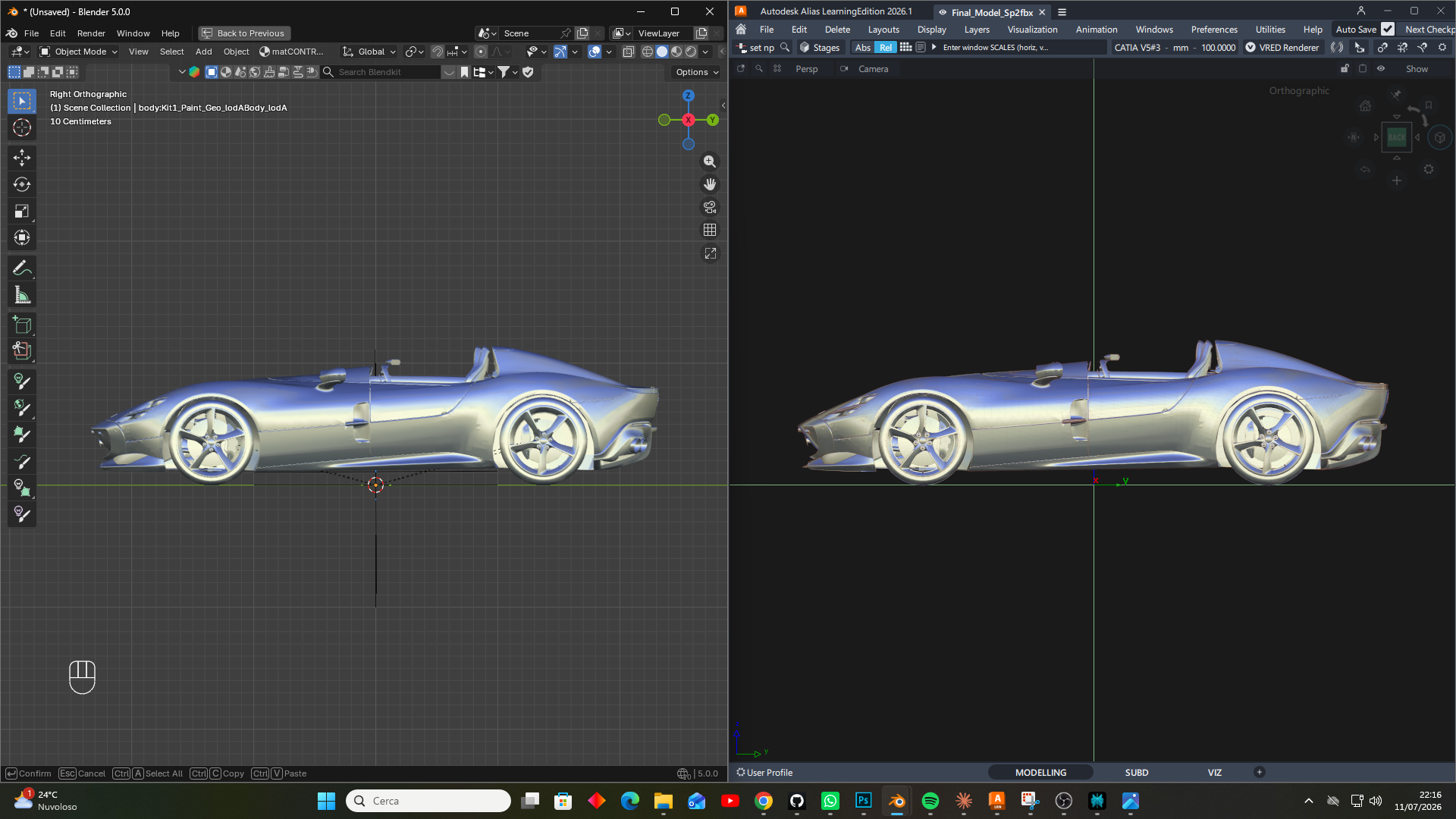
The screenshots below show the same operation in Blender (left) and in Alias (right). First at the original proportions:
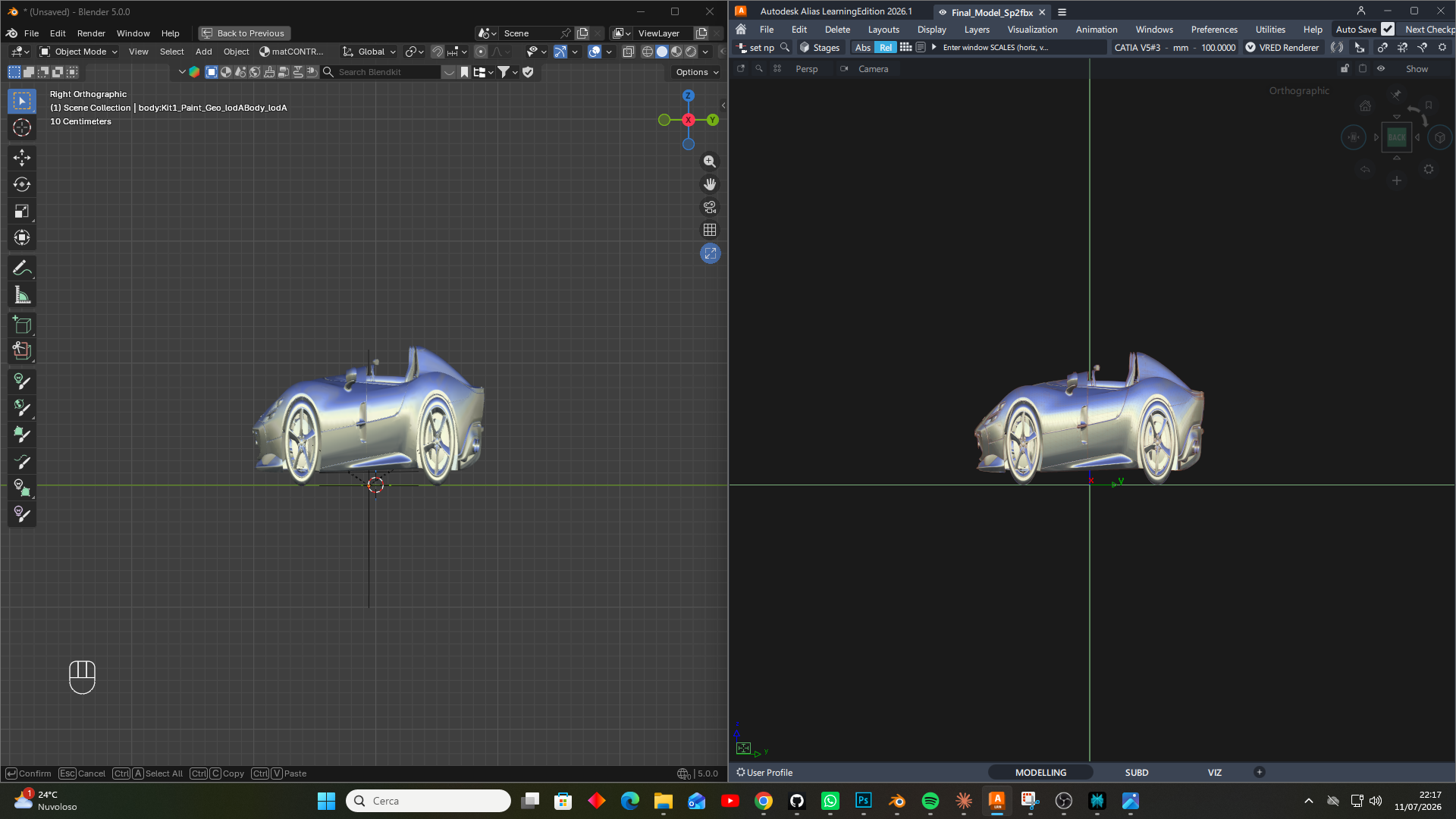
Then stretched along the view axis — the result matches in both applications:
What ViewStretch does
Stretches the whole viewport content along the current view directions with one gesture.
Works from a dedicated viewport button and from keyboard shortcuts.
Keeps the stretch live until you reset it — the viewport button turns blue while a stretch is active.
Is fully non-destructive: it never edits mesh data, and a single click restores the original transforms and parenting.
Handles Object Mode (everything visible) and Edit Mode (only the edited object).
The gesture at a glance
Action |
Result |
|---|---|
Hold + drag (button or |
Stretch: horizontal = view X, vertical = view Y |
Release |
The stretch stays active |
Click without dragging |
Reset everything |
|
Reset |
Hold |
Precision mode |
How it works
ViewStretch creates a hidden, view-aligned Empty (its local X and Y match the view’s X and Y), parents your objects to it while preserving their world transforms, and scales that Empty. Because nothing but the Empty is scaled, resetting is exact: the addon restores every original transform and parent relationship and then deletes the Empty. Your geometry is never modified.
Documentation
Contents
- Installation
- Usage
- Preferences
- FAQ
- What is this based on?
- Does it modify my mesh?
- Why does the shortcut do nothing in Edit Mode?
- The viewport button is not showing. Where is it?
- What is the difference between View X/Y and Uniform mode?
- Can I stretch cameras and lights too?
- Why does the button turn blue?
- The stretch went along the wrong axis. Why?
- Are my preference settings saved between sessions?
- Which Blender versions are supported?
- Changelog